

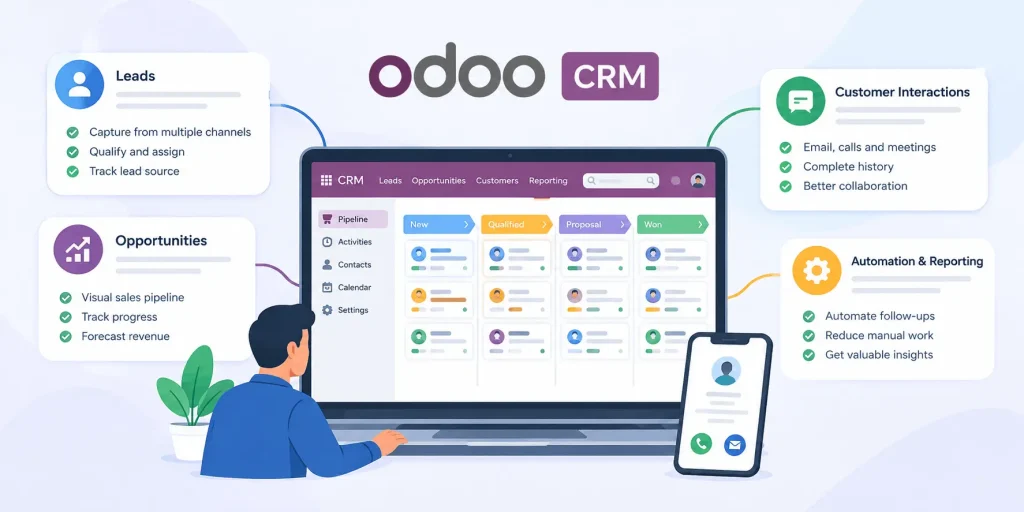
How to Track Leads and Customer Interactions with Odoo CRM
How to Track Leads and Customer Interactions with Odoo CRM admin October 16, 2026 Managing leads and customer conversations becomes challenging when information is spread across spreadsheets, emails, phone calls, and different business tools. Sales teams may miss follow-ups, lose track of customer requirements, or struggle to identify which prospects are most likely to convert. Odoo CRM helps businesses bring lead information, sales activities, opportunities, and customer interactions into one organized system. With a clear view of each prospect and the history of communication, sales teams can follow up at the right time, prioritize promising opportunities, and deliver a more consistent customer experience. In this blog, we’ll explore how Odoo CRM helps businesses track leads and customer interactions throughout the sales process. What Is Lead Tracking in Odoo CRM? Lead tracking is the process of recording and monitoring potential customers from their first interaction with a business through qualification and conversion. It helps sales teams understand where each prospect comes from, what they need, and what action should happen next. Odoo CRM provides a central place to manage this information. Depending on how the CRM is configured, teams can record details such as: Lead name and contact information Company and job title Lead source, such as a website inquiry, referral, or campaign Products or services the prospect is interested in Assigned salesperson Next follow-up activity Current status and qualification details Having these details in one place reduces the need to search through separate records and helps sales representatives prepare for every conversation. How to Track Leads in Odoo CRM 1. Capture Leads from Different Sources Leads can come from website forms, email inquiries, phone calls, events, referrals, and marketing campaigns. When these prospects are recorded in separate systems, it becomes harder to maintain accurate information and respond promptly. Odoo CRM can help consolidate lead information. Depending on the apps and integrations enabled, businesses can connect website inquiries, email workflows, and other lead-generation channels to their CRM process. Sales representatives can also enter leads manually when they receive inquiries offline. Recording the source of each lead helps businesses understand which channels generate potential customers and where sales teams should focus their attention. 2. Organize and Qualify Leads Not every inquiry is ready to become a sales opportunity. Some prospects may be researching options, while others may have a clear requirement and an immediate purchasing timeline. Sales teams can use Odoo CRM to record qualification details and organize leads based on their needs, level of interest, budget, business fit, or expected purchase timeline. Teams can also use tags, filters, and custom fields where appropriate to group and prioritize prospects. Once a lead is qualified, it can be converted into an opportunity according to the company’s sales process. This gives the sales team a clearer way to distinguish early inquiries from prospects with a more developed buying intent. 3. Track Opportunities Through the Sales Pipeline An opportunity represents a potential sale that the team is actively pursuing. Odoo CRM uses a visual pipeline to help salespeople monitor opportunities as they progress through stages such as qualification, proposal, negotiation, and won or lost. The stages can be adapted to match the organization’s sales process. Each opportunity can contain relevant details, including the expected revenue, assigned salesperson, planned activities, and information about the customer’s requirements. A visual pipeline helps managers identify opportunities that have stalled, review upcoming sales activities, and understand how deals are progressing. Instead of relying only on verbal updates, the team can refer to a shared record of the current sales position. 4. Schedule Follow-Ups and Sales Activities Consistent follow-up is essential for converting leads into customers. However, when salespeople rely on memory or scattered reminders, important conversations can be delayed or forgotten. Odoo CRM allows users to schedule activities such as calls, meetings, emails, and follow-up tasks against leads or opportunities. Activities can have deadlines and assigned users, helping representatives plan their next steps. For example, after a product demonstration, a salesperson can schedule a follow-up call for the next business day. The activity remains associated with the relevant record, making it easier to see what needs attention. Automated activities and reminders may also be configured for selected sales processes, depending on the team’s workflow and Odoo setup. How Odoo CRM Tracks Customer Interactions Lead details explain who a prospect is, while interaction history helps the team understand what has happened during the relationship. Keeping these records together is particularly useful when multiple employees work with the same customer. 1. Maintain a History of Customer Communication Odoo CRM provides a communication log through the chatter area on relevant records. Depending on the interaction and system configuration, users can review messages, notes, scheduled activities, and other updates associated with a lead or opportunity. This history helps sales representatives answer important questions before contacting a prospect: What did the customer ask during the last conversation? Was a quotation or proposal discussed? Which information has already been shared? What follow-up was promised? Who last communicated with the customer? With this context available, salespeople can avoid asking customers to repeat information and provide more informed responses. 2. Connect Emails and Meetings to the Right Record Email is often central to the sales process, but conversations become difficult to manage when they remain in individual inboxes. Odoo can support email communication linked to CRM records, subject to email configuration and the workflow being used. When emails are associated with the correct lead or opportunity, team members can review relevant correspondence without depending entirely on the original salesperson. Meetings and calls can also be recorded or scheduled as activities, giving the team a more complete view of customer engagement. Businesses should establish clear practices for logging interactions and linking communication to the appropriate record. This helps keep the history useful and reduces gaps in customer information. 3. Record Notes, Requirements, and Customer Preferences Not every important interaction happens through email. A phone call may reveal a customer’s budget, a meeting may uncover a technical requirement, or
How to Track Leads and Customer Interactions with Odoo CRM Read More »