Odoo

Streamline Your Manufacturing Operations with Odoo ERP

Streamline Your Manufacturing Operations with Odoo ERP

Streamline Your Manufacturing Operations with Odoo ERP admin August 18, 2026 Manufacturing businesses operate in an environment where every delay, stock shortage, production error, and communication gap can affect profitability. From managing raw materials and production schedules to monitoring work orders, quality, inventory, and deliveries, manufacturers need accurate information and connected processes. However, many businesses still rely on spreadsheets, disconnected software, and manual workflows to manage critical operations. This can lead to: Production delays Inventory shortages or excess stock Inaccurate data Poor production planning Higher operational costs Limited visibility across departments An integrated ERP system can help manufacturers bring these processes together. This is where Odoo ERP for Manufacturing Companies can provide a practical solution by connecting production, inventory, purchasing, quality, maintenance, sales, and other business functions within a unified system. The Challenges of Managing Manufacturing Operations Manufacturing is more than simply producing a finished product. A typical production cycle involves multiple connected activities, including: Procuring raw materials Managing inventory Creating bills of materials Planning production Assigning work orders Monitoring work centers Performing quality checks Tracking finished goods Managing deliveries When these processes are handled using separate systems, information can become fragmented. For example, the sales team may not have real-time visibility into production capacity, while the production team may not know whether enough raw materials are available for an upcoming order. Odoo Manufacturing is designed around manufacturing orders, work orders, bills of materials, work centers, production planning, shop-floor workflows, subcontracting, and reporting. How Odoo ERP Helps Streamline Manufacturing Operations 1. Centralize Your Manufacturing Processes One of the biggest advantages of an ERP system is centralization. Instead of managing different processes through multiple spreadsheets and applications, Odoo can connect key business functions such as: Manufacturing Inventory Purchase Sales Quality Maintenance Accounting This creates a more connected flow of information across the organization. When departments work from the same system, businesses can reduce duplicate data entry and improve visibility into day-to-day operations. 2. Simplify Bill of Materials Management A Bill of Materials, or BoM, defines the components and operations required to manufacture a product. For manufacturers managing multiple products, variants, or production processes, maintaining accurate BoMs manually can become challenging. Odoo allows manufacturers to configure products and their associated BoMs, including components and operations. It also supports more advanced manufacturing setups such as multilevel BoMs and product variants. This helps businesses create a more structured approach to production planning. 3. Improve Production Planning with Manufacturing Orders Production planning becomes difficult when businesses do not have clear visibility into what needs to be manufactured and when. Odoo uses Manufacturing Orders and Work Orders to organize production activities. A Manufacturing Order can define: The product to be manufactured The quantity to produce The relevant Bill of Materials Required components Production operations Once configured, the associated components and work orders can be used to guide the production process. This creates a more organized workflow compared with manually coordinating production through calls, emails, or spreadsheets. 4. Gain Better Control Over Work Orders and Work Centers Manufacturing businesses often operate through multiple workstations, machines, or departments. Without a centralized system, tracking the progress of work can be difficult. Odoo allows manufacturers to manage work orders and work centers as part of the production workflow. The Shop Floor functionality is designed to provide real-time control of work orders and can support related activities such as maintenance operations, quality issues, and feedback. This can help production managers better understand: Which jobs are in progress What operations are pending Where production bottlenecks may occur How long specific operations take 5. Improve Inventory Visibility Inventory problems can directly impact production schedules. Running out of critical components can delay manufacturing, while overstocking can increase storage and working-capital costs. Odoo connects manufacturing workflows with inventory processes. Depending on the configured manufacturing route, businesses can manage component movements and finished products through one-, two-, or three-step manufacturing workflows. This creates better coordination between the warehouse and production teams. 6. Track Products with Lot and Serial Numbers Traceability is important for many manufacturing businesses, particularly when products, batches, or components need to be identified later. Odoo supports lot and serial number tracking for configured products, helping businesses maintain records of manufactured products as they move into inventory. This can support stronger traceability and make it easier to investigate product-related issues when required. 7. Strengthen Quality Control Quality issues can lead to: Customer complaints Product returns Rework Material wastage Increased production costs Quality management should not be treated as a separate activity that happens only after production is complete. Odoo’s manufacturing ecosystem includes quality-related workflows and allows quality checks to be incorporated into production processes. This helps businesses build more structured quality controls into their operations. 8. Manage Maintenance Alongside Production Unexpected equipment downtime can disrupt the entire production schedule. When production teams and maintenance teams work independently, machine-related issues may not be addressed quickly enough. Odoo’s Shop Floor and manufacturing workflows can connect production activities with maintenance-related operations and feedback loops. A connected approach can help businesses improve communication around equipment issues and production interruptions. 9. Improve Production Visibility with Real-Time Data Manufacturing decisions are more difficult when managers rely on outdated reports. A connected ERP system gives businesses a clearer view of operational data. Odoo Manufacturing includes reporting areas covering production analysis, delays, allocation, and overall equipment effectiveness, depending on the configuration and version used. This information can help manufacturers identify trends, bottlenecks, and areas that require attention. From Sales Order to Finished Product: A More Connected Workflow One of the key benefits of an integrated ERP approach is the connection between different stages of the business. A typical workflow can look like this: Customer Demand → Sales → Inventory Check → Procurement → Manufacturing → Quality → Finished Goods → Delivery When these processes are connected, teams spend less time manually transferring information between systems. For example, manufacturing orders can use the configured Bill of Materials and work orders, while completed production can register finished goods into inventory. This can improve

Streamline Your Manufacturing Operations with Odoo ERP Read More »

Odoo CRM

How Odoo CRM Automates Your Sales Pipeline

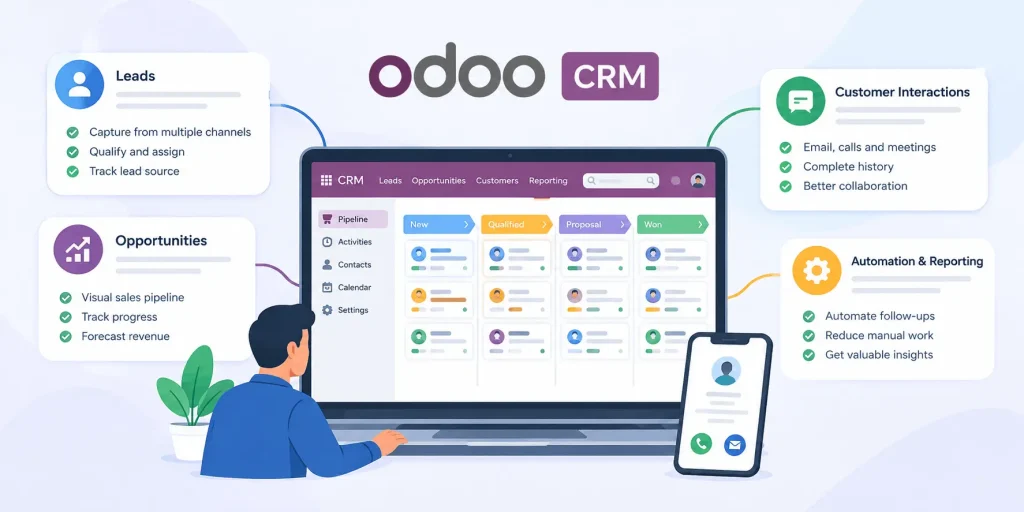
How Odoo CRM Automates Your Sales Pipeline Swati Rawat July 20, 2026 Managing a sales pipeline manually can quickly become overwhelming. Sales teams often juggle spreadsheets, emails, follow-up reminders, customer conversations, and reporting—all while trying to close deals. The result? Missed opportunities, delayed follow-ups, and inconsistent sales performance. This is where Odoo CRM transforms the sales process. Instead of relying on manual tracking, Odoo automates repetitive tasks, organizes every sales opportunity, and gives your team complete visibility into the customer journey. In this blog, we’ll explore how Odoo CRM automates your sales pipeline and helps businesses improve efficiency, productivity, and revenue. What Is a Sales Pipeline? A sales pipeline is a visual representation of every stage a potential customer goes through before becoming a paying customer. Typical stages include: New Lead Qualified Lead Proposal Sent Negotiation Won Lost Without automation, sales representatives must manually update records, schedule follow-ups, and track every opportunity. As the number of leads grows, this process becomes difficult to manage efficiently. Why Sales Pipeline Automation Matters Businesses that automate their sales processes can: Respond to leads faster Reduce manual data entry Improve team collaboration Track every customer interaction Increase conversion rates Make data-driven decisions Odoo CRM provides automation tools that streamline these activities while keeping the sales pipeline organized. It offers a visual pipeline, automated lead assignment, activity scheduling, predictive lead scoring, reporting, and integration with quotations and other business applications. How Odoo CRM Automates Your Sales Pipeline 1. Automatic Lead Capture Instead of manually creating customer records, Odoo CRM automatically captures leads from multiple sources. These include: Website contact forms Email inquiries Live chat Social media campaigns Marketing activities Every lead is automatically added to your CRM, ensuring no opportunity is missed. Odoo supports automatic lead creation from website forms, emails, and other channels. 2. Smart Lead Assignment Distributing leads manually often creates delays and confusion. Odoo CRM automatically assigns leads based on predefined rules such as: Sales territory Salesperson Team Lead source Workload This ensures leads reach the right sales representative quickly, helping improve response times. 3. Visual Pipeline Management One of Odoo CRM’s biggest strengths is its Kanban-style sales pipeline. Every opportunity appears as a card that can be moved from one stage to another using drag-and-drop functionality. Sales managers can instantly see: Active opportunities Deal value Pipeline health Sales progress Revenue forecasts The visual pipeline also makes it easier to identify stalled deals before they become lost opportunities. 4. Automated Follow-Up Activities Following up consistently is essential for closing deals. Odoo CRM automatically schedules activities such as: Phone calls Meetings Emails Product demonstrations Proposal reviews Sales representatives receive reminders, helping ensure that every lead receives timely attention. Odoo includes activity planning and next-action management to support consistent follow-ups. 5. Predictive Lead Scoring Not every lead has the same chance of becoming a customer. Odoo CRM uses predictive lead scoring to estimate which opportunities are more likely to convert based on historical data and predefined criteria. This helps sales teams prioritize high-value opportunities instead of spending equal time on every lead. 6. Email Integration Communication history is automatically stored within each opportunity. Sales teams can: Send emails directly from the CRM View previous conversations Track customer responses Keep communication organized Having every interaction in one place eliminates the need to search through multiple inboxes. 7. Automatic Quotation Generation When a lead reaches the proposal stage, sales teams can quickly generate quotations without switching between different applications. Because Odoo CRM integrates with the Sales module, quotations can be created directly from opportunities, reducing manual work and speeding up the sales cycle. 8. Real-Time Sales Reporting Manual reporting often consumes valuable time. Odoo CRM provides dashboards and reports that display: Sales performance Expected revenue Win/loss ratio Lead sources Conversion rates Sales forecasts Managers gain real-time insights into pipeline performance, allowing faster and more informed decision-making. 9. Integration Across Business Functions Unlike many standalone CRM solutions, Odoo connects your sales pipeline with other business operations. Once a deal is won, information can flow seamlessly into related processes such as: Sales orders Inventory Invoicing Customer records This reduces duplicate data entry and improves operational efficiency across departments. Benefits of Automating Your Sales Pipeline with Odoo CRM Businesses that implement Odoo CRM can experience several long-term benefits, including: Faster lead response times Improved sales productivity Better customer engagement Reduced manual tasks Higher sales visibility Accurate forecasting Improved team collaboration Scalable sales processes Automation allows sales teams to spend more time building customer relationships instead of handling administrative work. Is Odoo CRM Suitable for Your Business? Odoo CRM is well-suited for businesses that want to streamline sales operations and improve efficiency. It works particularly well for: Small and medium-sized businesses Manufacturing companies Retail businesses Distributors Service providers B2B organizations Multi-location enterprises Because Odoo is modular, businesses can start with CRM and expand into accounting, inventory, manufacturing, or other applications as their needs grow. Final Thoughts A successful sales process depends on speed, consistency, and visibility. Manual tracking may work for a small number of leads, but as your business grows, it becomes difficult to maintain efficiency without automation. Odoo CRM simplifies sales pipeline management by automating lead capture, follow-ups, lead scoring, reporting, and workflow management. With a visual pipeline and seamless integration across business functions, it helps sales teams focus on what matters most—building relationships and closing deals. If your business is looking to improve sales efficiency and create a more predictable revenue pipeline, implementing Odoo CRM can be a valuable step toward long-term growth. At DX8, we help businesses implement, customize, and optimize Odoo CRM to match their unique sales processes. Whether you’re adopting Odoo for the first time or looking to improve your existing setup, our experts can help you build a CRM solution that supports sustainable business growth. Swati RawatSwati Rawat is a writer and researcher with a strong interest in digital transformation, emerging technologies, and the evolving intersection of business and innovation. At DX8, she focuses on translating complex ideas into clear, actionable insights,

How Odoo CRM Automates Your Sales Pipeline Read More »

Common ERP Mistakes Businesses Make and How Odoo Solves Them

Common ERP Mistakes Businesses Make and How Odoo Solves Them

Common ERP Mistakes Businesses Make and How Odoo Solves Them Swati Rawat June 19, 2026 Enterprise Resource Planning (ERP) systems have become essential for businesses looking to streamline operations, improve efficiency, and support growth. Yet, despite investing significant time and resources, many organizations fail to achieve the expected results from their ERP implementation. The problem often isn’t the ERP software itself. It’s the mistakes businesses make before, during, and after implementation. Whether you’re a startup, SME, manufacturer, retailer, or service provider, understanding these common ERP pitfalls can help you maximize your investment and avoid costly setbacks. In this blog, we’ll explore the most common ERP mistakes businesses make and how Odoo helps address these challenges. Why ERP Projects Fail Many businesses view ERP implementation as a software installation project. In reality, ERP implementation is a business transformation initiative. An ERP system affects multiple departments, workflows, employees, and decision-making processes. Without proper planning and execution, businesses often encounter delays, budget overruns, low adoption rates, and operational disruptions. Fortunately, modern ERP platforms like Odoo are designed to simplify these challenges. Mistake #1: Choosing Software That Doesn’t Fit Business Processes One of the biggest mistakes businesses make is selecting ERP software based solely on popularity or pricing. What works for one company may not work for another. Many organizations end up with: Unnecessary features Missing functionality Complex workflows Poor user experience How Odoo Solves It Odoo offers a modular structure that allows businesses to implement only the applications they need. Companies can start with: CRM Sales Inventory Accounting and gradually expand as their operations grow. This flexibility ensures the ERP aligns with actual business requirements rather than forcing businesses into rigid processes. Mistake #2: Lack of Clear Business Objectives Many ERP projects begin without clearly defined goals. Businesses often implement ERP because competitors are doing it or because management wants modernization. Without measurable objectives, success becomes difficult to evaluate. Common Issues Unclear expectations Poor ROI measurement Conflicting stakeholder priorities Delayed decision-making How Odoo Solves It Odoo provides real-time dashboards, reporting tools, and analytics that help businesses track key performance indicators across departments. Organizations can monitor: Sales growth Inventory turnover Operational efficiency Customer acquisition Financial performance This visibility helps align ERP implementation with business goals. Mistake #3: Relying on Disconnected Systems Many businesses operate with multiple standalone software solutions for: Accounting CRM Inventory HR Procurement These disconnected systems create data silos and duplicate work. As businesses grow, this fragmentation becomes increasingly difficult to manage. How Odoo Solves It Odoo integrates business operations within a unified platform. Data flows seamlessly between departments. For example: A sales order updates inventory automatically. Inventory movements update accounting records. Customer information remains synchronized across teams. This creates a single source of truth for the entire organization. Mistake #4: Underestimating Employee Training Even the best ERP system will fail if employees don’t know how to use it effectively. Many businesses focus heavily on implementation and neglect user training. The result is: Low adoption rates Manual workarounds Reduced productivity Employee resistance How Odoo Solves It Odoo’s user-friendly interface makes onboarding easier compared to many traditional ERP systems. Its modern design and intuitive workflows reduce the learning curve for employees. Additionally, businesses can implement modules gradually, helping teams adapt step by step instead of facing a complete system overhaul. Mistake #5: Over-Customizing the ERP Customization can improve efficiency, but excessive customization often creates long-term problems. Common risks include: Higher implementation costs Upgrade difficulties Increased maintenance Dependency on developers How Odoo Solves It Odoo provides extensive built-in functionality that covers most business requirements. Its modular architecture allows companies to configure workflows without heavily modifying the core system. When customization is necessary, businesses can implement targeted solutions while maintaining upgrade compatibility. Mistake #6: Poor Data Migration Planning Migrating data from spreadsheets, legacy software, or manual records can be one of the most challenging aspects of ERP implementation. Poor data quality often leads to: Duplicate records Inaccurate reporting Customer data issues Operational errors How Odoo Solves It Odoo supports structured data imports and centralized data management. Businesses can clean, validate, and organize information before migration, reducing the risk of inaccurate records entering the new system. Mistake #7: Ignoring Scalability Requirements Some businesses choose software that meets current needs but fails to support future growth. As operations expand, they encounter: Performance limitations Integration challenges Additional software requirements Rising operational complexity How Odoo Solves It Odoo is highly scalable. Businesses can begin with a few modules and gradually add: Manufacturing HR eCommerce Marketing Automation Helpdesk Project Management This enables organizations to grow without replacing their ERP system. Mistake #8: Lack of Real-Time Visibility Many businesses still rely on manual reports and spreadsheets for decision-making. This often results in: Delayed insights Inaccurate forecasting Reactive management How Odoo Solves It Odoo offers real-time dashboards and reporting capabilities across departments. Management teams gain instant access to: Sales performance Inventory levels Financial data Customer activity Operational metrics This enables faster and more informed business decisions. Mistake #9: Treating ERP as an IT Project ERP implementation is often delegated entirely to the IT department. However, ERP impacts every business function. Without involvement from leadership and operational teams, adoption suffers. How Odoo Solves It Odoo encourages cross-functional collaboration by connecting departments through shared workflows and centralized data. This makes ERP a business-wide initiative rather than just a technology project. Mistake #10: Focusing Only on Cost Many businesses choose ERP systems solely based on upfront costs. While affordability matters, selecting the cheapest option often leads to: Limited functionality Scalability issues Additional software purchases Higher long-term costs How Odoo Solves It Odoo provides a balance between affordability and functionality. Businesses gain access to enterprise-grade features without the high costs typically associated with traditional ERP platforms. The ability to scale gradually also helps organizations control implementation expenses. Why More Businesses Are Choosing Odoo Modern businesses require more than accounting software or standalone applications. They need a platform that connects: Sales Inventory Finance Purchasing Manufacturing Customer management Human resources Odoo delivers this through a unified and

Common ERP Mistakes Businesses Make and How Odoo Solves Them Read More »

Odoo vs Zoho

Odoo vs Zoho: A Realistic Comparison for Indian Businesses

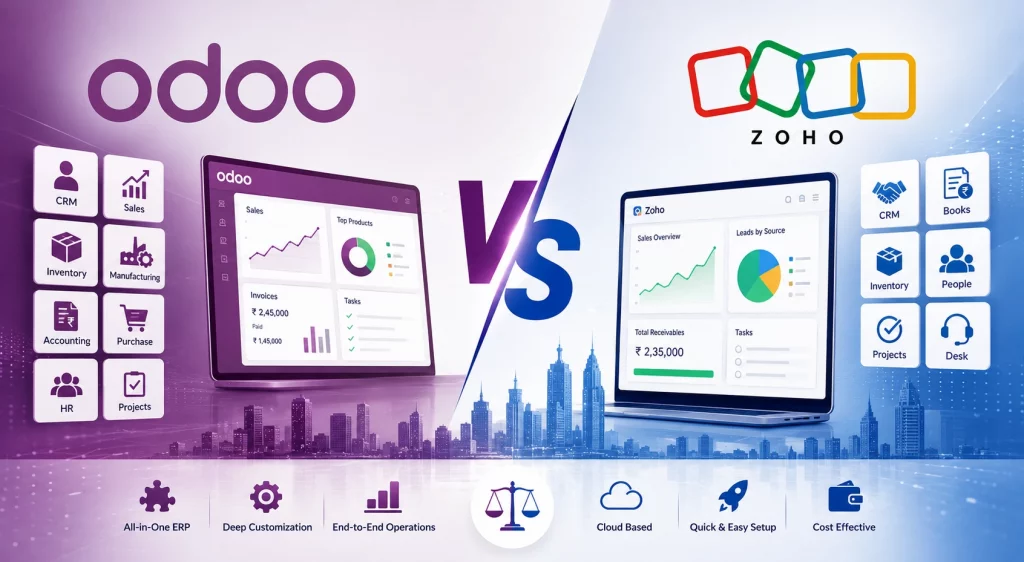
Odoo vs Zoho: A Realistic Comparison for Indian Businesses Swati Rawat May 18, 2026 Indian businesses today are no longer choosing software just for accounting or CRM. They are choosing an operational backbone that can handle GST, inventory, payroll, sales, customer support, automation, eCommerce, and scalability. Two names dominate this conversation: Odoo and Zoho. Both platforms are powerful. Both are widely used in India. But they solve business problems very differently. This comparison is not about “which is better globally.”It is about which platform makes more sense for Indian SMEs, startups, manufacturers, traders, distributors, and service companies. The Core Difference Between Odoo and Zoho Before comparing features, it’s important to understand the philosophy behind both systems. Odoo: ERP-First Approach Odoo is fundamentally an ERP platform. It is designed to connect operations across departments: Sales CRM Inventory Manufacturing Accounting HR Purchase Projects eCommerce Everything runs on a unified database and workflow system. This becomes valuable when a business grows beyond simple bookkeeping or CRM needs. Zoho: SaaS Ecosystem Approach Zoho started as a cloud productivity and CRM company. Instead of one deeply unified ERP, Zoho offers a large ecosystem of apps, such as: Zoho CRM Zoho Books Zoho Inventory Zoho People Zoho Desk Zoho Projects For many Indian SMEs, this creates a fast, affordable, cloud-first setup. Odoo vs Zoho: Feature-by-Feature Comparison Feature Odoo Zoho Best For Operationally complex businesses Fast-moving SMEs & startups Deployment Cloud, On-Premise, Hybrid Primarily Cloud SaaS Customization Extremely high Moderate Ease of Setup Medium to complex Easy Manufacturing Support Strong native MRP Limited GST Compliance Strong with localization Excellent out of the box CRM Integrated ERP CRM One of Zoho’s strongest products Inventory Management Advanced Good for light-medium operations Implementation Cost Higher Lower Scalability Very high Good for SMB growth Technical Dependency Often needs implementation partner Lower dependency User Experience Functional and modular Cleaner for non-technical teams Where Zoho Wins for Indian Businesses 1. Faster Deployment Zoho is usually much quicker to implement. Many Indian startups can start using: Zoho Books Zoho CRM Zoho Inventory within days instead of months. That matters when: teams are small, processes are evolving, and budgets are tight. 2. Better for Service Businesses If your company mainly handles: consulting, agencies, SaaS, education, professional services, small trading, Zoho often feels simpler and more practical. You get: GST-ready invoicing, workflow automation, customer management, cloud accessibility,without needing ERP consultants. 3. Excellent India Localization Zoho’s India-specific ecosystem is one of its strongest advantages. It handles: GST invoicing, e-invoicing, banking integrations, payroll localization, Indian tax workflows very well. Since Zoho is India-focused, Indian SMEs often find support, onboarding, and documentation more aligned with local business realities. 4. Lower Initial Costs For smaller teams, Zoho usually has lower upfront costs. Businesses with: 5–20 users, basic inventory, standard accounting, light CRM usage often find Zoho more affordable initially. Where Odoo Wins for Indian Businesses 1. Stronger ERP Capabilities Odoo becomes significantly more powerful when business operations become complex. This includes: manufacturing, multi-warehouse inventory, procurement workflows, vendor management, production planning, repair/service operations, B2B distribution. Unlike app-based workflows, Odoo connects these operations inside a unified ERP architecture. 2. Better for Manufacturing Companies This is one of the biggest differentiators. Odoo includes native: MRP, BOM management, work orders, quality checks, shop floor operations, subcontracting workflows. Zoho’s ecosystem is generally considered weaker for advanced manufacturing workflows. If your business runs factories, assembly units, or large inventory operations, Odoo often becomes the more scalable long-term choice. 3. Higher Customization Flexibility Odoo is open-source at its core. That means businesses can heavily customize: workflows, dashboards, approvals, modules, automation, integrations. This flexibility is valuable for companies whose operations do not fit “standard SaaS workflows.” But there is a tradeoff:greater flexibility often means greater implementation complexity. 4. Better Long-Term Operational Control Many businesses outgrow disconnected tools. As operations become more complicated, companies often struggle with: sync issues, duplicate data, fragmented reporting, multiple subscriptions, disconnected inventory/accounting systems. Odoo’s unified architecture helps solve this problem. The Hidden Reality: Cost Is Not Just Subscription Pricing This is where many Indian businesses make mistakes. Zoho’s Hidden Cost Pattern Zoho appears cheaper initially. But costs rise when businesses start adding: CRM, Inventory, Analytics, Payroll, Automation, Helpdesk, advanced workflows. Over time, businesses may end up managing multiple subscriptions and integrations. Odoo’s Hidden Cost Pattern Odoo’s subscription cost is often not the biggest expense. The higher cost usually comes from: implementation, customization, consulting, migration, training, support. If implementation is poorly handled, projects can become expensive and slow. That’s why choosing the right implementation partner matters more in Odoo than in Zoho. What Indian Businesses Usually Choose Choose Zoho If: You are: a startup, service business, small SME, agency, consulting firm, or early-stage trading company. And you want: quick deployment, low technical dependency, affordable SaaS, easy onboarding, strong CRM and finance tools. Choose Odoo If: You are: a manufacturer, distributor, retailer, multi-location business, warehouse-heavy company, or a rapidly scaling enterprise. And you need: deep ERP control, advanced inventory, manufacturing workflows, centralized operations, heavy customization, long-term scalability. The Most Realistic Verdict There is no universal winner between Odoo and Zoho. The better platform depends on business complexity. Zoho is better for: simplicity, speed, affordability, cloud-first operations, non-technical teams. Odoo is better for: operational depth, ERP centralization, manufacturing, customization, scalability. For many Indian businesses, the real decision is not: “Which software is better?” The real question is: “How complex will our business become in the next 3–5 years?” That answer usually determines whether Zoho remains sufficient—or whether Odoo becomes necessary. Final Thoughts Indian businesses are evolving quickly. Companies that once managed operations on Excel, Tally, and WhatsApp now require: automation, real-time reporting, integrated operations, GST-ready systems, scalable infrastructure. Both Odoo and Zoho can help businesses modernize. But success depends less on software branding and more on: implementation quality, process clarity, leadership adoption, and long-term planning. Choosing the right platform today can save years of operational pain later. Swati RawatSwati Rawat is a writer and researcher with a strong interest in digital transformation, emerging technologies, and the

Odoo vs Zoho: A Realistic Comparison for Indian Businesses Read More »